
muggle.ccru.wiki
External links use a single bracket. Open a bracket, type the URL of your website or social media account, then a word that explains where we're going.
To create internal links, place words in double brackets:
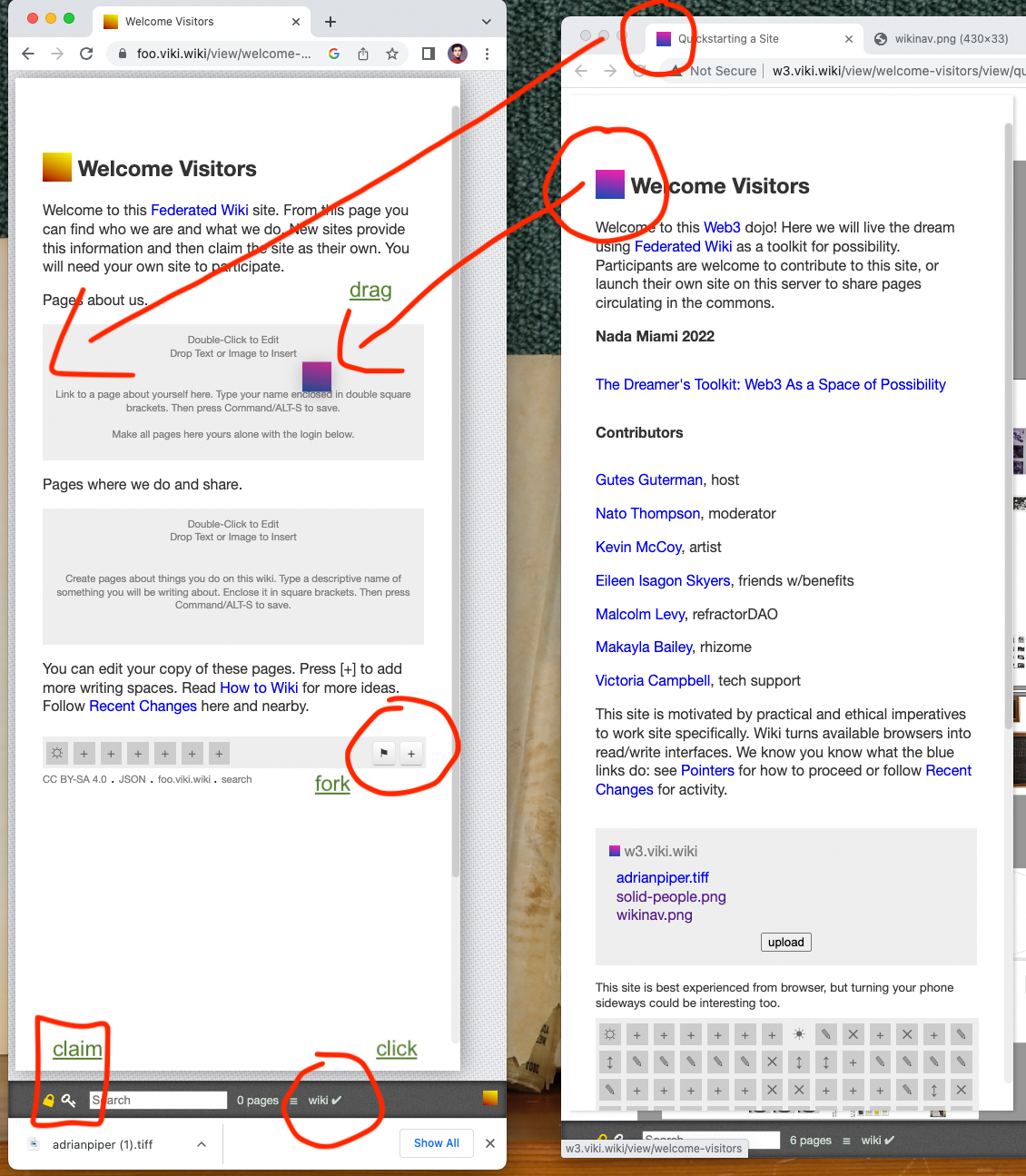
Keep a second (or third, or fourth) browser window open, one with your new site, and another for this site or others you find with content that you want to keep around.
Hover your mouse over the colored flags at the top left of each page name. When you see a hand icon, press and drag the colored square into your new site.
Welcome Visitors always forks to the home page.

note black flag in corner of panel
To fork a page without having to cross browser views, click the black flag at the bottom of the panel at the bottom of each page. The panel will appear whenever you have 'wiki' activated.
🏴 to fork and claim content as your own.
Each grey box represents a decision made. By clicking on the history of a page, you can restore previous versions.
When you fork a site, it will add that page to Recent Activity. To find it, search for the page name on the nav bar below or drag it directly between windows.
This is how to get started federating wiki. There are lots more exciting features about this decentralized model for collaborative knowledge sharing, but these basics will get you started.
I reflect on why hardly a day goes by when I am not asked if it wouldn't be possible to hide the Journal. My position has been that it should be more present, more beautiful, more of a guide to knowing. What is it that people expect from a computer?
We line up wiki pages as we browse through links. The result, the lineup, has both visual and computational implications.